No more lapsed-cert surprises
Every certification carries its expiry date. The crew member is emailed 30 and 7 days out, and you see it on your dashboard and in a Monday summary.
Fleet, crew, and field operations in one place
Stop running the operation from spreadsheets, whiteboards, and group texts. All Hands Ops tracks your assets, crew, certifications, jobs, daily logs, and maintenance in one place, and warns you about a problem before it costs you a day in the field.
No sign-up needed for the demo. Accounts open soon with a 14-day free trial, no card required.

What it fixes
Every certification carries its expiry date. The crew member is emailed 30 and 7 days out, and you see it on your dashboard and in a Monday summary.
Service comes due by date or by hours run. The hours count themselves from the daily logs, so nobody keeps a separate tally.
Close the day's log and the end-of-day report lands in your inbox, with a client-ready version one click away.
What's inside
See every vehicle, vessel, aircraft, and piece of equipment: where it is, whether it's ready, and how many hours it has run.
Each person's certifications and expiry dates, with reminders before they lapse. Crew see their own record; only admins see everyone's.
Assign crew and assets to a job and get warned straight away about a lapsed cert, a down asset, or a double booking. See the whole week by job or by person.
The crew logs the day from a phone as it happens. Close it out and the report can go straight to your client by email.
Build the JSA on site: each step, its hazards, and the controls, plus required PPE and emergency info. The crew signs off from their own phones.
Work orders due by date or by hours run. Finish a repeating service and the next one is scheduled for you.
Hours by asset and job, uptime, and maintenance cost at a glance. Export to CSV, or print a client-ready report for any day.
One list of your clients and their contacts. Pick one on a job, quote, or invoice and their details fill in, and see what each client owes at a glance.
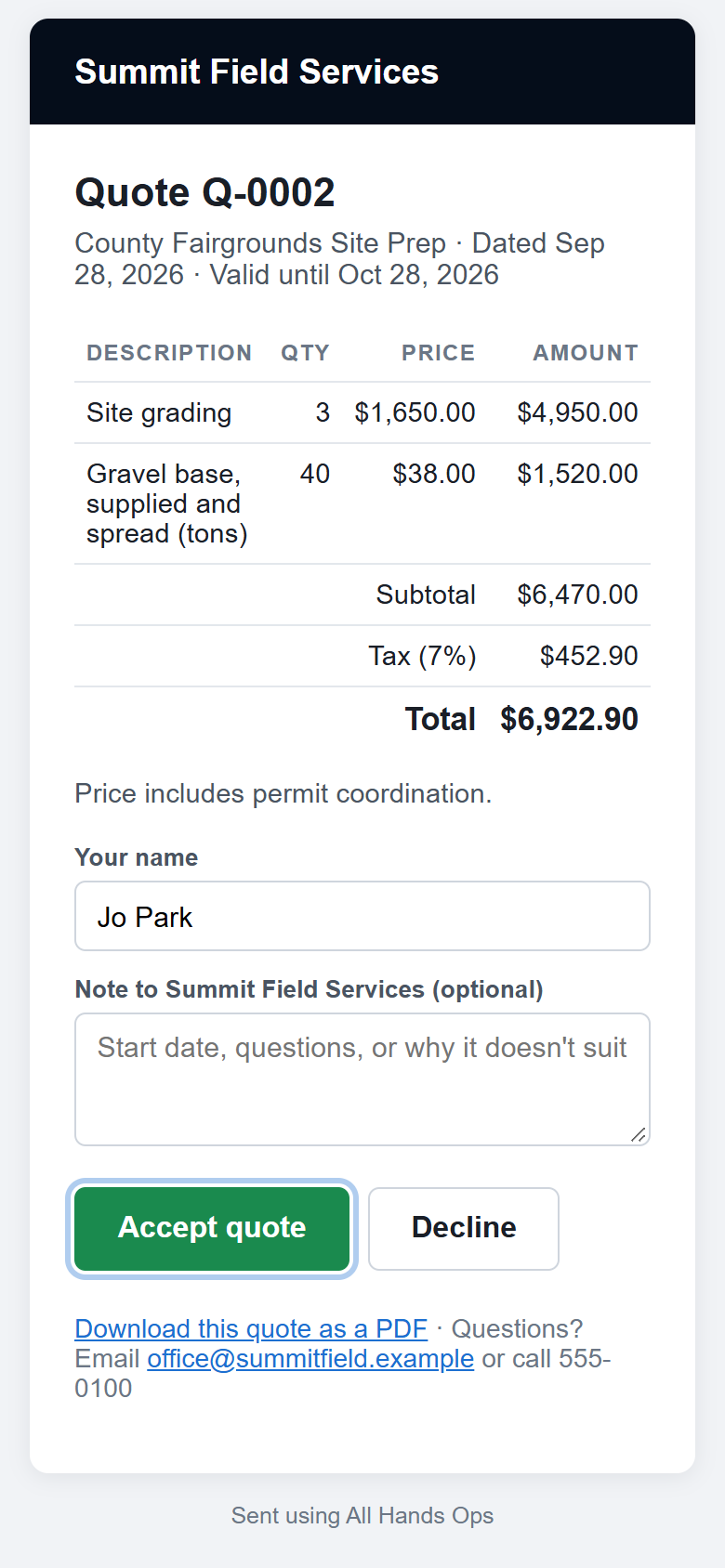
Email a quote with a PDF attached. Your client accepts or declines from the email, and you hear about it straight away.
Turn an accepted quote into an invoice with Net 15 or Net 30 terms. Clients pay by card or bank transfer from the email, and the invoice marks itself paid.
Install it on a phone like any app. Out of coverage, the crew keeps logging, and everything syncs when the signal comes back.
Crew are emailed before a certification lapses, admins get a Monday summary of what needs attention, and the day's report arrives when the log is closed.
In the field
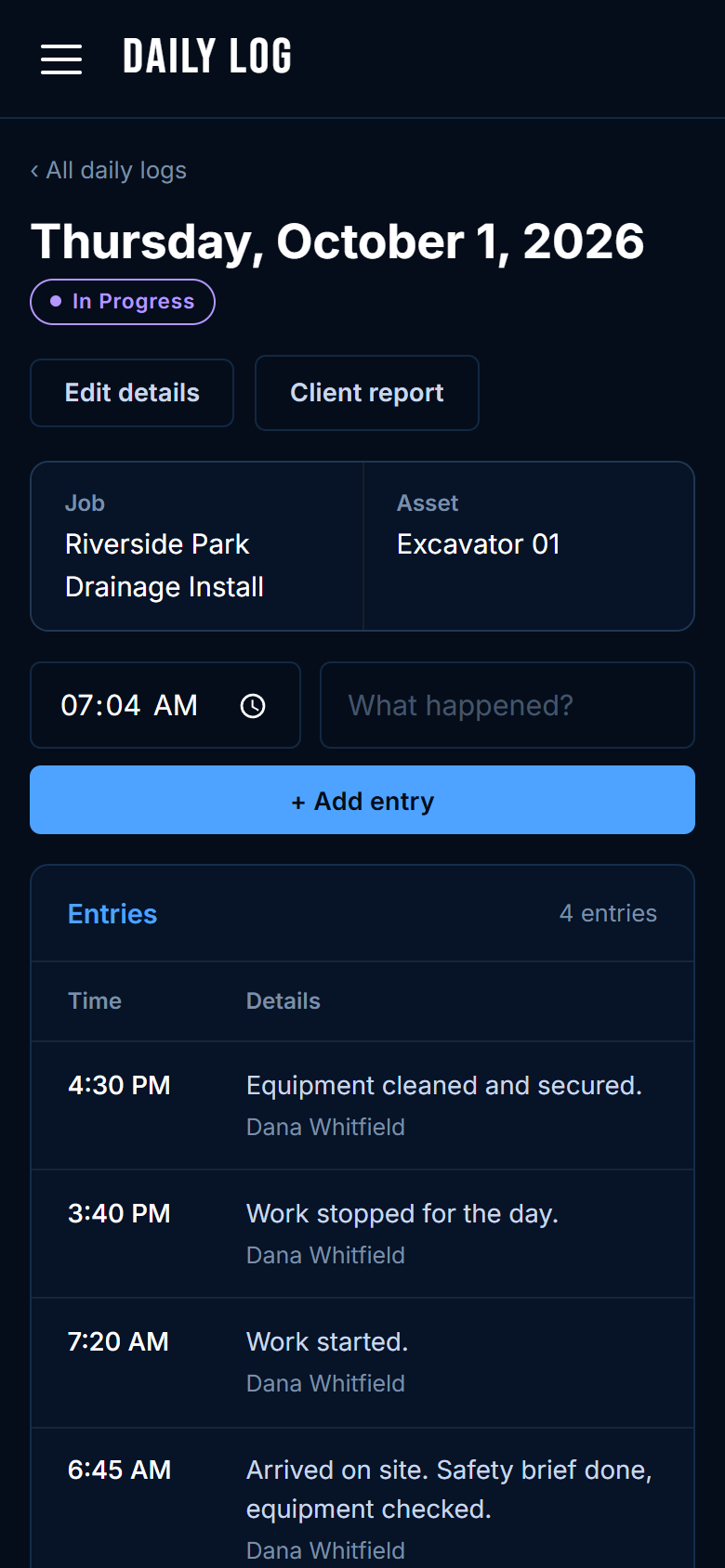
Anyone on the crew adds an entry as it happens: the time is filled in, they type what happened. At the end of the day one person adds hours, weather, and a summary, then closes the log.
For your client
Every daily log turns into a clean one-page report with your logo: job, asset, hours, weather, the day's entries, summary, and issues. Print it or save it as a PDF.
Safety
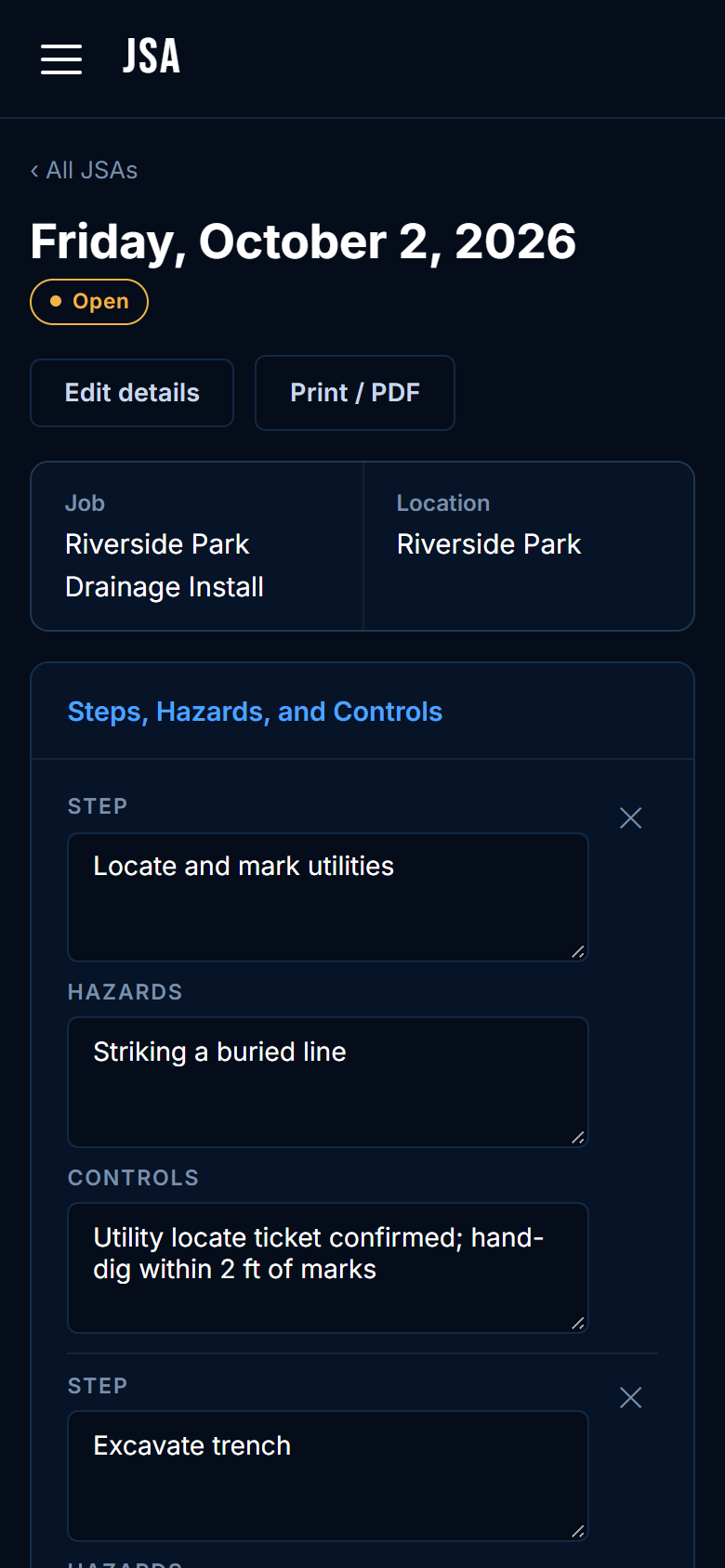
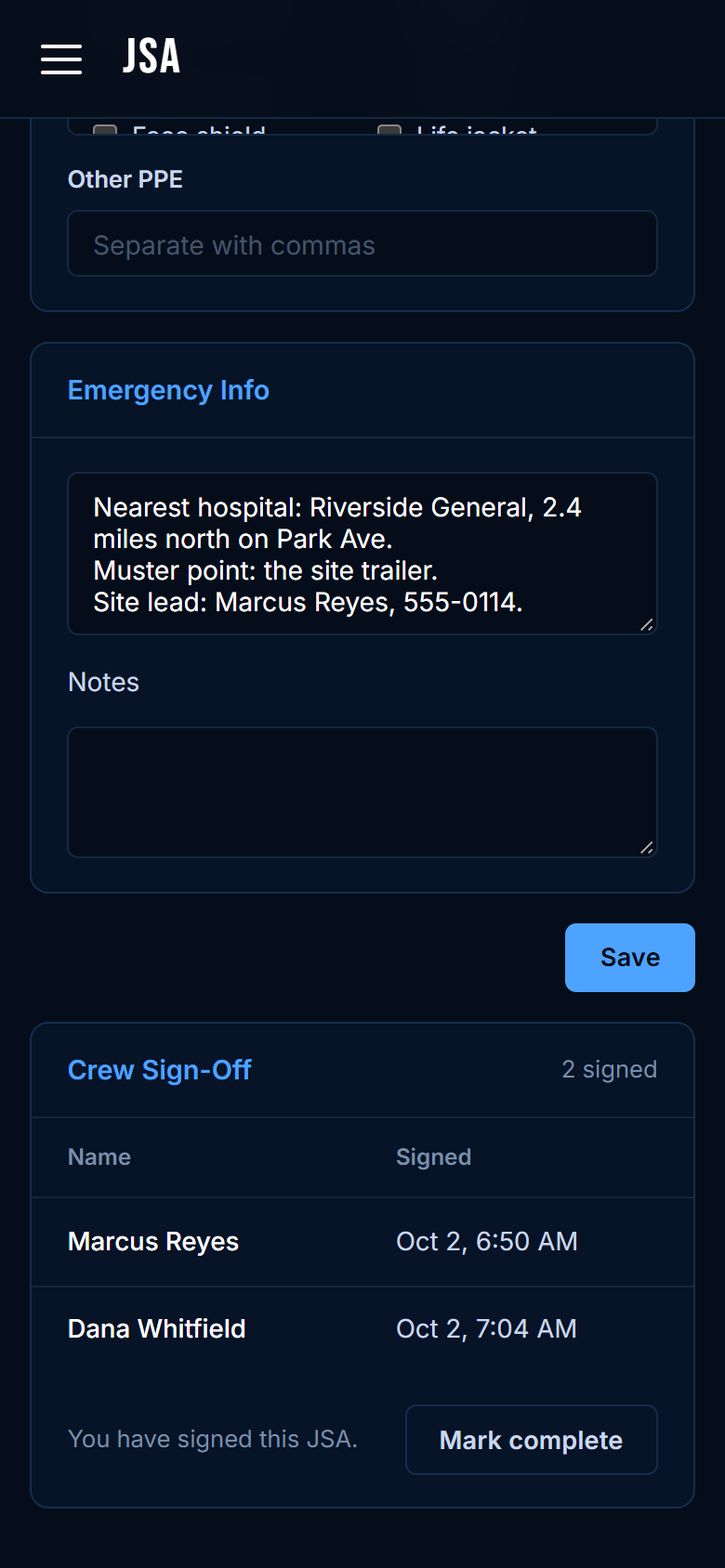
Build the job safety analysis on site, step by step: what could go wrong and how it's prevented, the PPE needed, and where the nearest hospital is. Each crew member reviews it and signs from their own phone, with the time recorded.
Before the job
When you assign crew and assets to a job, All Hands Ops checks them against what it already knows and tells you what to fix while there's still time.
After the job
Send the quote from the job, let the client accept it from their inbox, and turn it into an invoice in one click. They pay online, and you get an email when the money's in.
Built for the whole team
Pricing
One flat price for the whole team, with no per-seat fees. Start with a 14-day free trial, no card required, and cancel any time. Pay yearly and get two months free.
For a small team getting organized
$49 / month
or $490 a year
For a working fleet and a growing crew
$69 / month
or $690 a year
For large or multi-site operations
Custom
quoted for your fleet
Questions
No. All Hands Ops runs in a web browser on a phone, tablet, or laptop. If you'd like it on the home screen, it installs like an app, and it keeps working with no signal. Your crew signs in with an email and password or with Google.
You can create your company and add your first assets and crew in a few minutes. Add people by email and they get an invitation to choose a password.
No. You choose who is an admin. Crew can keep logs, raise work orders, and update an asset's status, but they see only their own personnel record and can't delete records.
Yes. Connect your own Stripe account and every invoice you email gets a Pay now button. Clients pay by card, or by bank transfer if you switch it on in Stripe. The money goes straight to your Stripe account, the invoice marks itself paid, and All Hands Ops takes no cut; Stripe's standard fees apply.
No. Your clients just get emails from you: daily reports, quotes they can accept or decline, and invoices they can pay, each with a PDF they can keep.
Yes. Each company has its own workspace, and only the people you add can get in. Data is encrypted and backed up every day. See the Privacy Policy for the details.
Yes. Every list exports to CSV, and any daily log prints as a report or saves as a PDF.
Your data stays put. The workspace becomes read-only until an admin chooses a plan, then everything picks up where you left off.
Any time, from the billing page. Your plan runs to the end of the period you paid for, and you can ask for a refund within 3 days of a charge.
The live demo is loaded with a sample operation: a fleet, a crew, jobs, and a month of logs. Click around and change anything. Accounts open soon.